Founder share surface
Sample reports, proof assets, and live evidence in one page
Use this page when someone needs to see the current OfficialObituary report artifacts, widget or backlink proof screenshots, and the related self-serve surfaces without forwarding an email thread. Everything below is sourced from existing product pages, docs, or generated exports already in this repo.
Safe Export Snapshot
Current ranking artifact summary
This is a sanitized slice of the latest saved conversion-ranking manifest. It is useful as proof that the report-prep system has concrete scope and current generated output, without exposing emails, phones, or claim tokens.
Tier distribution
- Tier 1 178
- Tier 2 480
- Tier 3 268
- Tier 4 18
Top reachable markets
- Chicago, IL 15 homes
- Philadelphia, PA 13 homes
- Dallas, TX 12 homes
- Houston, TX 11 homes
- Jacksonville, FL 11 homes
Ranking methodology components
Email fit
Email presence plus domain-fit signals that suggest the inbox is monitored and business-ready.
Site quality
Website presence, HTTPS, and shallow site paths that make a backlink or widget ask lower-friction.
Market size
Local city and state density of reachable homes, with extra credit when priced peers already exist.
Data completeness
Claim-link readiness plus phone, address, ZIP, and pricing fields that reduce manual prep work.
Sanitized from exports/funeral-home-conversion-ranking/2026-03-09T23-45-00-000Z/manifest.json
Report Outputs
Current sample report artifacts
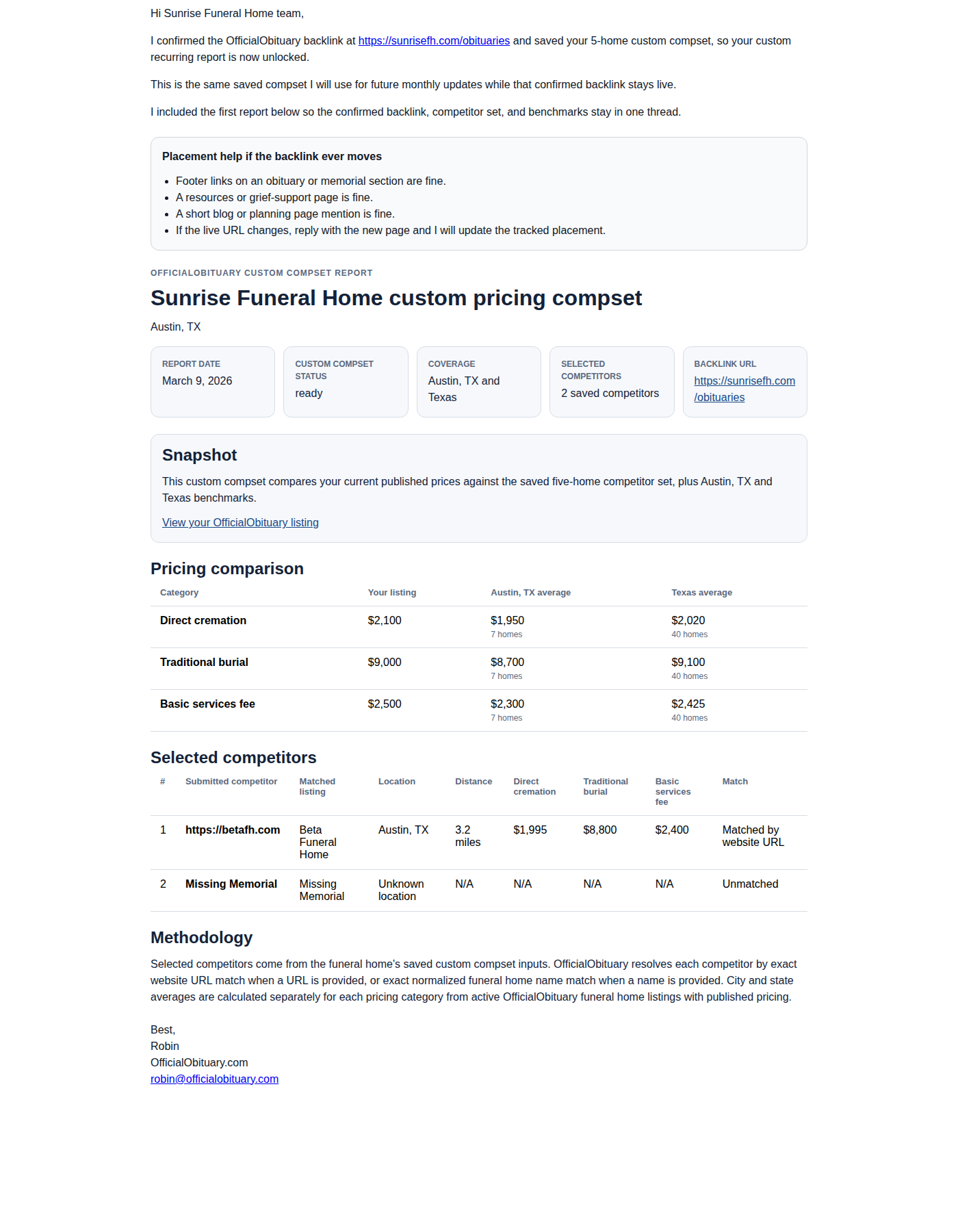
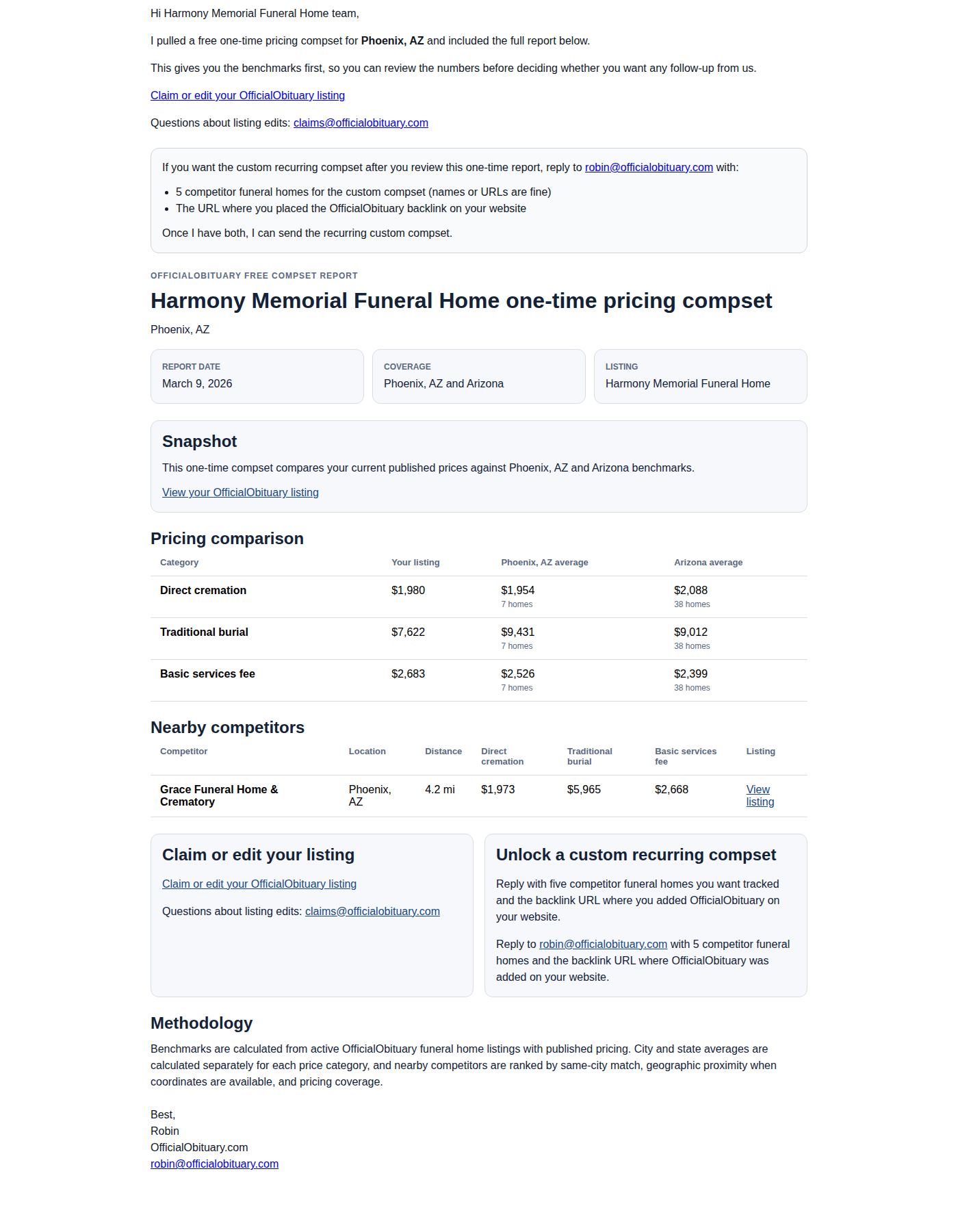
These screenshots are copied from the March 11 outreach deck assets, which were made from the current report-email templates and renderers. They give founders a clean way to show the before-install and post-backlink report states in one URL.
Why it matters: Shows the concrete first-touch artifact: benchmark cards, pricing table, nearby competitors, claim lane, and recurring-report hook in one proof image.
Source: docs/presentations/funeral-home-outreach-deck-2026-03-11/assets/one-time-compset-email.png
Why it matters: Shows the second-stage artifact: confirmed backlink context, saved custom compset, and the unlocked recurring report layout.
Source: docs/presentations/funeral-home-outreach-deck-2026-03-11/assets/custom-compset-unlock-email.png
Widget + Backlink Evidence
Proof surfaces already live in product or docs
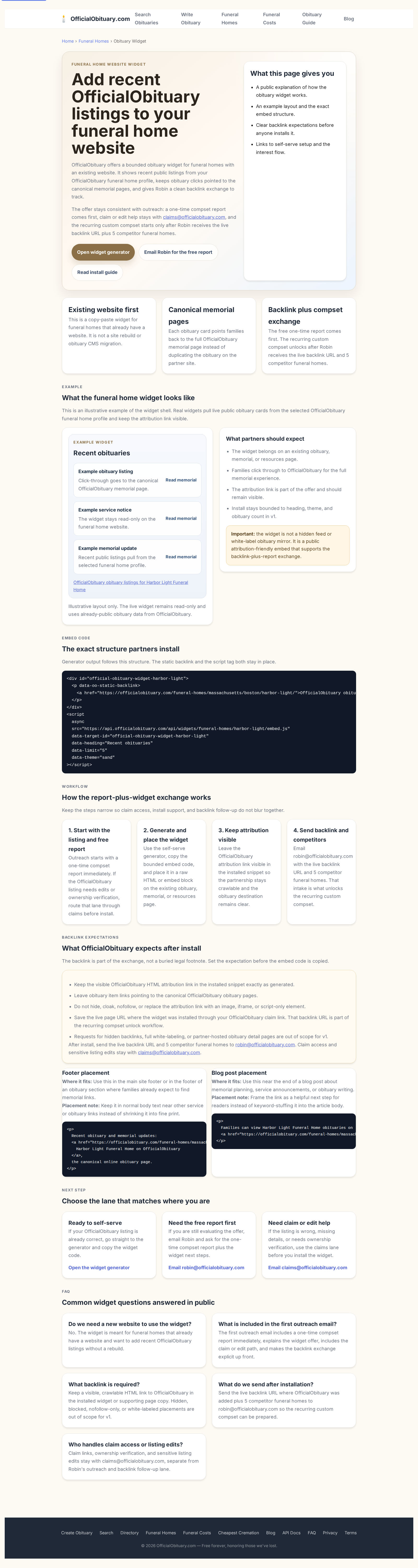
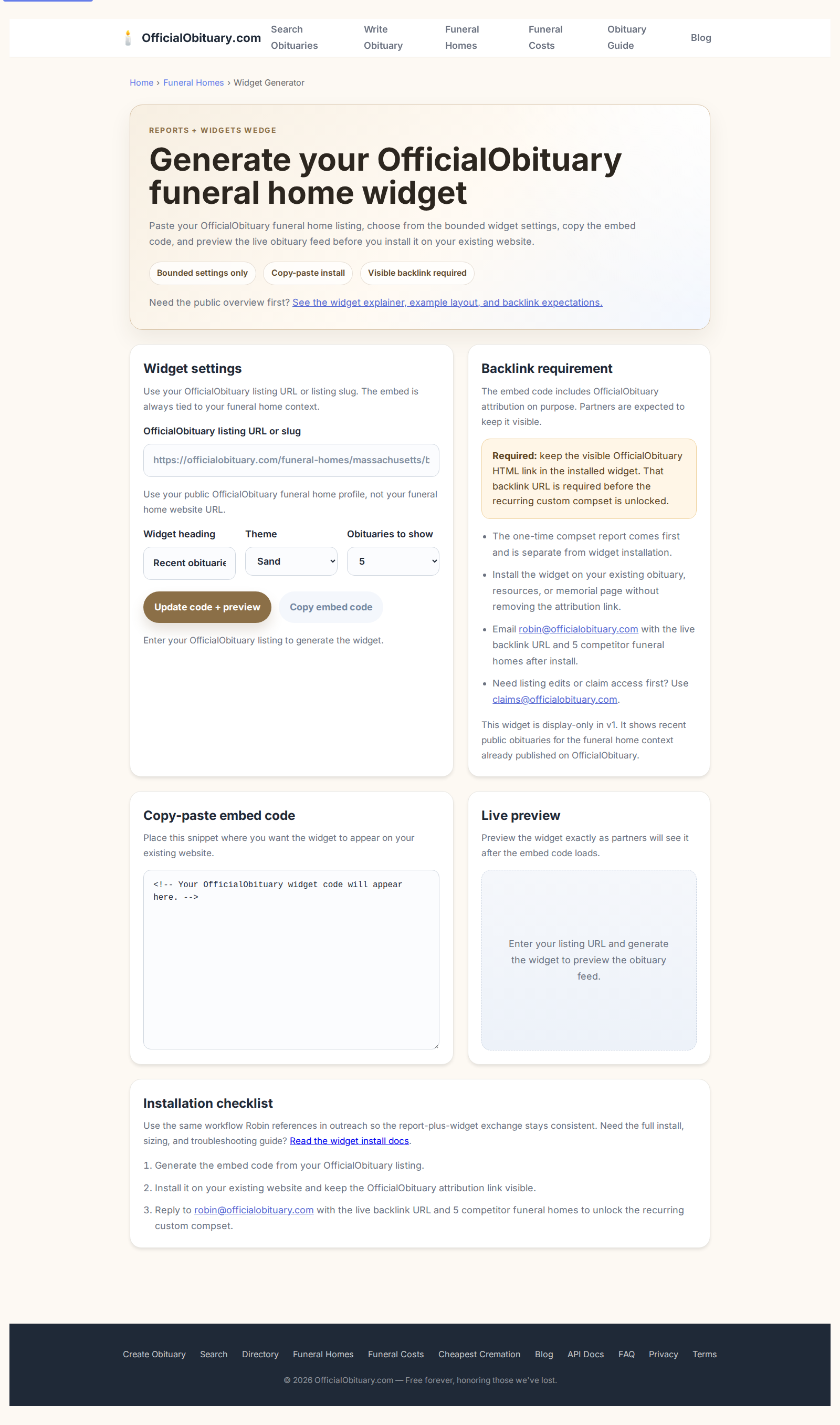
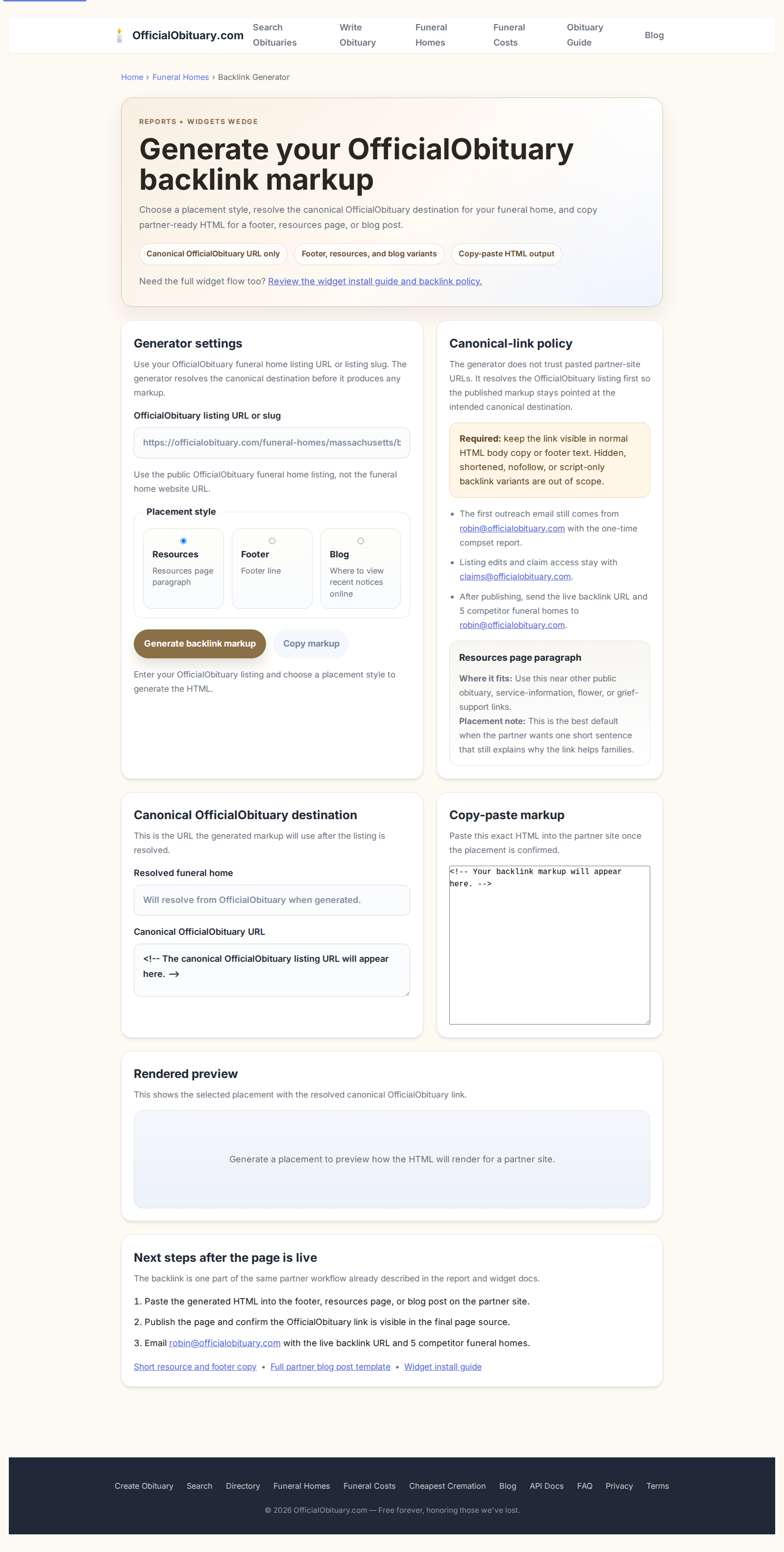
These images map directly to the pages founders can share today when a funeral home asks how the widget, backlink markup, or proof rules work.
What it proves: Useful when someone needs the public product context before opening generators or install docs.
Source: docs/presentations/funeral-home-outreach-deck-2026-03-11/assets/obituary-widget.png
What it proves: Proves there is an operator-safe setup surface with copyable embed code and proof instructions, not a hand-built one-off.
Source: docs/presentations/funeral-home-outreach-deck-2026-03-11/assets/widget-generator.png
What it proves: Shows the exact placement surface founders can share when the partner wants copy-paste HTML instead of extra explanation.
Source: docs/presentations/funeral-home-outreach-deck-2026-03-11/assets/backlink-generator.png
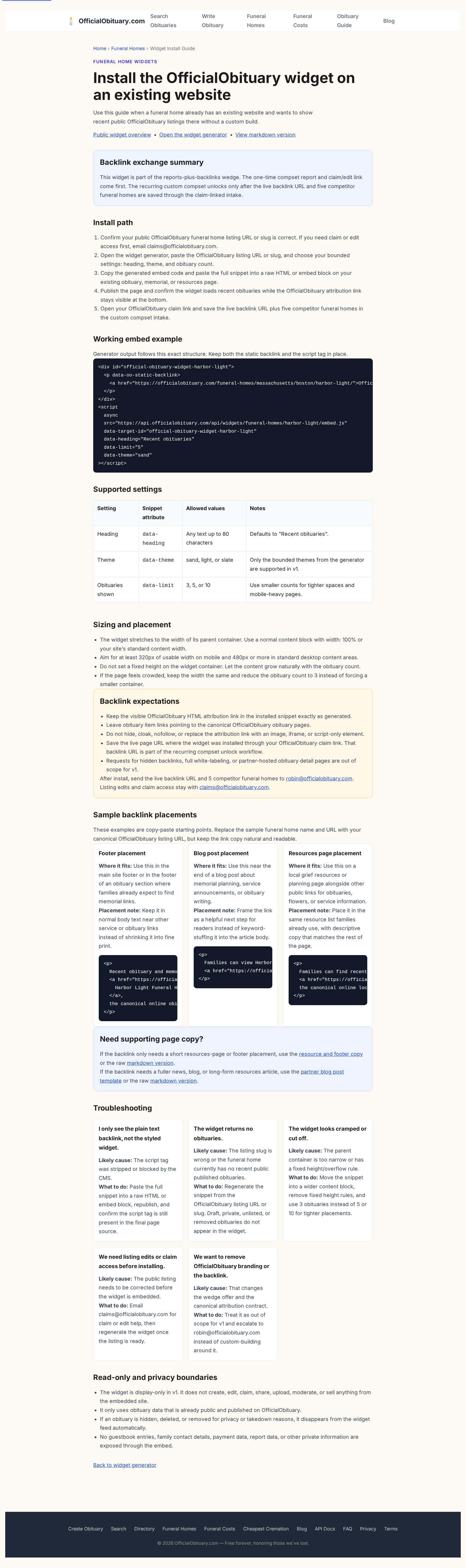
What it proves: Shows that proof capture and verification rules already exist in docs and do not require a bespoke founder email walkthrough.
Source: docs/presentations/funeral-home-outreach-deck-2026-03-11/assets/widget-install-docs.png
Proof Rules
What the docs already require for proof capture
Use the same proof package every time so backlink verification does not depend on an extra founder walkthrough. The goal is one public URL, one visible placement, and one saved record in the claim-linked intake.
Step 1
Open the final public URL
Use the published page URL that any visitor can open, not a CMS preview, staging link, or editor address.
What to save: Save the exact live page URL where the widget or backlink appears.
Step 2
Capture the placement in context
Take a screenshot that shows the widget or backlink plus enough surrounding page copy that someone can tell where it lives on the site.
What to save: Include the page heading or section label in the same screenshot whenever possible.
Step 3
Confirm the HTML survived publish
Use View Source or Inspect to confirm the OfficialObituary anchor is still present as normal HTML. Widget installs should also keep the embed.js script tag.
What to save: Save a short source snippet or note showing the visible OfficialObituary link and, for widgets, the script source.
Step 4
Save the proof through the claim link
Paste the same live URL into the claim-linked intake and keep the five competitor funeral homes on that record so Robin can verify the install without recreating the thread.
What to save: One claim-linked intake should contain the live backlink URL and all five competitors.
Backlink expectations
- Keep the visible OfficialObituary HTML attribution link in the installed snippet exactly as generated.
- Leave obituary item links pointing to the canonical OfficialObituary obituary pages.
- Do not hide, cloak, nofollow, or replace the attribution link with an image, iframe, or script-only element.
- Save the live page URL where the widget was installed through your OfficialObituary claim link. If that link is missing, use [email protected] only as a fallback. The backlink URL is part of the recurring compset unlock workflow.
- Requests for hidden backlinks, full white-labeling, or partner-hosted obituary detail pages are out of scope for v1.
Fast links
- Partner landing Public founder-shareable summary of the report, claim, widget, and backlink exchange.
- Widget overview Public product explainer for the bounded obituary widget.
- Widget generator Self-serve embed generation and preview surface.
- Backlink generator Self-serve backlink markup generation for live placements.
- Widget install guide Proof rules, troubleshooting, and install checklist.